Tabular Editor Experience
SELECTEDVALUE for you?
You know about Tabular Editor. It’s been almost ten years since the open-source Tabular Editor 2 first came out, and it remains both popular and actively maintained. You’ve also been hearing a lot about Tabular Editor 3—the commercial edition—and it has sparked your curiosity…
Regardless of whether you already have a TE3 license, you’re eager to explore what it can do. A great way to get started is by enrolling in Tabular Editor Learn—free, self paced online training packed with tons of valuable modules you can work through all by yourself.
However, finding the time, focus, and motivation to do so on your own can be challenging.
An Old African proverb says:
“If you want to go fast, go alone; if you want to go far, go together.”
Therefore, learning in a distraction-free environment together with people who share your interests makes the journey not only more effective, but also far more enjoyable.
Tabular Editor Experience

The Tabular Editor Experience (TEE) is an in‑person training event held on Thursday, July 2nd, and Friday, July 3rd, 2026, at SPACES Schiphol Airport, located inside Microsoft The Netherlands. The venue offers excellent travel connections, making it easily accessible from across Europe and the rest of the world.
It is nice to meet you!
The whole experience is the brainchild of myself, Chris Woolderink. I am the founder of TABULAR and Tabular Editor Certified Trainer. The two days are also instructor-led by me.
Human connections
Besides the tech, this event is tailormade to let you build human connections. Every participant will enjoy a two‑night stay at CitizenM Schiphol, and as a group you will travel together to the training venue or into Amsterdam.
Small group, personal approach
Only 8 seats are available. By keeping the group small, I can provide a personal experience and give you my full attention.
Hands-on
You will get relevant experience in using Tabular Editor 3 efficiently. By the end, you’ll walk away with greater confidence having gained real hands‑on practice.
Engaging labs
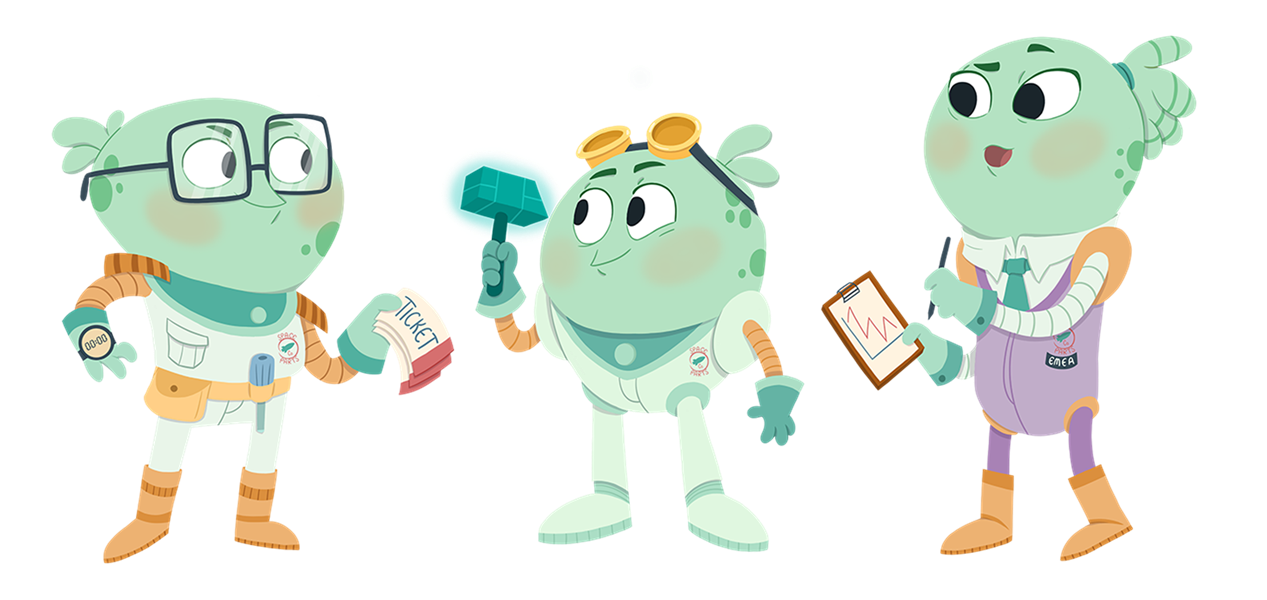
The learning part is built around engaging labs using the SpaceParts Co. dataset. Elevate your skills by helping Borp, Zip and Tropphus from the Projectiles department through engrossing business cases.
The course material has been thoughtfully designed by Kurt Buhler (Data Goblin) specifically for Tabular Editor and is offered exclusively through its certified training partners.
Interactive learning, hassle free
Dedicated ThinkPad tablets, connected to live interactive slide decks, will deliver you a fully interactive learning experience. A ready‑to‑use lab environment is available at your fingertips, allowing you to arrive and get started without bringing your laptop.
Fundamentals
On the first day, the labs will guide you from connecting to and exploring a model to analyzing and optimizing its performance. You’ll move on to adding and adjusting tables, writing DAX and using the DAX Debugger to uncover what’s really happening under the hood. Finally, you will learn how to organize your data model and automate it.
Lab 1: Connect to a model
- Understand Tabular Editor 3 (TE3) licensing.
- Understand set-up for connecting to semantic models in Power BI or Fabric.
- How to connect to “Local” and “Remote” models using “online development”.
Lab 2: View and explore an existing model
- How to navigate a model and use the TOM Explorer.
- How to view a model diagram (tables and relationships).
- How to view model data with Preview data or Pivot Grids.
Lab 3: Analyze and optimize an existing model (basic)
- How to use VertiPaq Analyzer and Best Practices Analyzer (BPA) and understand its results.
- How to add BPA rules from a URL or a local, downloaded file.
Lab 4: Add and adjust tables
- Understand what “offline development” means and how it can benefit you.
- Import new tables, add or remove columns to the model and undo if making a mistake.
- How to adjust table and column TOM properties.
- How to refresh a table and understand the different refresh types.
- How to deploy a model to a remote server.
Lab 5: Calculations and DAX Debugger
- How to add or modify DAX in a model.
- Get to know code-assisted features while writing DAX.
- How to launch the DAX Debugger and what it’s for.
Lab 6: Organizing your data model
- How to organize a model with display folders, table groups and descriptions.
- How to automate the organization of your data model using C# scripts.
Space Dinner
As the evening unfolds, the experience transitions into the Space Dinner at Restaurant Moon, located on the 19th floor of the iconic A’DAM Tower. While Amsterdam slowly rotates beneath you, you’ll enjoy a refined four‑course chef’s menu surrounded by breathtaking panoramic views. After this culinary highlight, the adventure continues at A’DAM LOOKOUT with its thrilling attractions, including Over the Edge—Amsterdam’s highest swing at 100 metres—and the Amsterdam VR Ride, a lifelike virtual rollercoaster that takes you racing past the city’s most iconic sights.
Fancy a more quiet night?
Advanced
On the second day, you will build a complete semantic model from scratch using DAX and C# scripts while working with data source objects, Field Parameters, Calculation Groups, dynamic format strings, Perspectives, and Translations. You will also implement Row‑Level and Object‑Level Security, configure partitions including Incremental Refresh, and explore model metadata formats to support enterprise‑grade deployments.
Lab 1: Creating models from scratch in Tabular Editor
- How to customize the user interface of Tabular Editor 3.
- How to make a model “from scratch” in Tabular Editor.
- Understand what Compatibility Level (CL) is, and when you need to upgrade it.
- Understand the difference between implicit and explicit data source objects.
- Understand how to use DAX scripts and C# scripts to speed up development.
Lab 2: Advanced DAX Objects in Tabular Editor
- How to create and manage Field Parameters in Tabular Editor.
- How to create and manage Calculation Groups in Tabular Editor.
- How to create and manage dynamic format strings in Tabular Editor.
Lab 3: Perspectives & Translations in Tabular Editor
- How to add and manage perspectives and translations in Tabular Editor.
- How you can utilize generative AI to assist on translations.
Lab 4: Security with RLS and OLS
- How to implement security roles in Row Level Security (RLS) and Object Level Security (OLS) to restrict data access.
- Understand the complexity of combining RLS and OLS.
- Understand the options of static and dynamic RLS.
- How to test security is added correctly in the model.
Lab 5: Partitions in Tabular Editor
- How to create and modify partitions in a table.
- How to create tables with multiple partitions (and why).
- How to configure incremental refresh in Tabular Editor.
Lab 6: Enterprise-ready semantic model
- Understand the options for enterprise deployment of a semantic model with Tabular Editor and Fabric.
- Understand the different model metadata formats and when to use them or how to modify them.
- How to manage, monitor, analyze and optimize semantic models.
Interactive Polls and Quizzes
To help you stay engaged and reinforce your understanding, the training includes interactive polls that you can easily answer on the ThinkPad tablets provided. To wrap up on a light and enjoyable note, every training day concludes with a fun quiz. It offers a relaxed opportunity to reinforce what you’ve learned, test your knowledge in a playful way, and enjoy a bit of friendly competition with your peers.
Fully arranged experience
You only need to sign up, book your travel, pack your bag, and make your way to Schiphol. I take care of everything else—from preparing the lab environment and arranging your hotel stay to covering food and drinks and getting you where you need to be.
Booking guarantee
After signing up, you can also confidently book your travel. The event is fully guaranteed to go ahead.
Your All‑Inclusive Experience
The fee is €1995 per participant, excluding VAT.
The full package contains:
- Two training days including lunch, coffee and refreshments.
- A two-night stay at citizenM Schiphol, with breakfast included.
- Food and drinks at CanteenM, citizenM’s cozy 24/7 bar and dining space.
- Space Dinner on the 19th floor of the iconic A’DAM Tower including fun activities.
- Full transfer service from hotel to the training location and to Amsterdam.
- One year subscription to TABULAR developers with the opportunity to join a study group to prepare you for the Tabular Editor Certification Exam.
It does not cover your travel to Amsterdam Schiphol airport.
Limited spots, maximum learning. Only 8 seats are available.
TABULAR developers
Your journey doesn’t end after the experience. You’ve connected with new people and gained new inspiration.
After you complete the Tabular Editor Experience, you’ll also be invited to join a summer study group on TABULAR developers that I’ll be leading to help you prepare for the Tabular Editor Certification Exam.
Starting the week after the training, we’ll meet every Friday at 4pm CET from July through September to work through one of the nine Tabular Editor Enterprise Courses together on Tabular Editor Learn.
Each week, you’ll complete one course at whatever pace works for you, and we’ll hop into a relaxed Slack huddle to keep each other motivated and share what we picked up.
When September arrives, you’ll choose the exam moment that fits your schedule and then celebrate your results together with the group.
Secure your ticket
Show your interest
Questions? Let’s meet!
Contact
You’re welcome to send me a message through the Contact Form.